
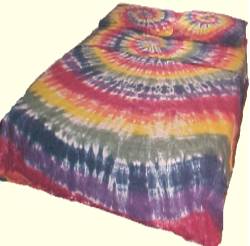
Free, colorful, bright, original tie dye backgrounds for your desktop or web pages — all made with our tie dyes by Wahmpee. New tie dyed backgrounds every Wednesday!

How to Save a Background
- Click on a background preview below to see the full-size image.
- Then right-click and choose Save As (Save Picture) to save it to your computer.
Please do not link directly to this page — download the image instead!
Seamless Tiling Backgrounds
New seamless tiling backgrounds, borders and backgrounds — small file size! Repeating! Seamless! Quicker load time! Easy to use! Fits all page sizes! The background of this very page is one of our seamless tiles.


Desktop Backgrounds
The backgrounds on this page are suitable for desktop use, though some are too large in file size for an effective web page background.
Link to Our Site
Like our backgrounds? Copy and paste the code below to add a link to our site!

<img src="https://wahmpee.com/images/88x31cool.JPG">
How to Use as a Desktop Design
- Click on the design you like.
- Right-click and choose Save As picture, wallpaper, etc. on your own computer.
- Go to your Pictures folder and right-click on your new background.
- Choose Set as desktop background, wallpaper, etc.
That's it! Looks great, huh!
How to Use as a Web Page Background
- Click on the design you like.
- Right-click and choose Save As picture, wallpaper, etc. on your own computer.
- Open your file manager for your site and upload the saved image to your files.
- Open the editor for the page you want the background on and add this code inside the
bodytags:
<body background="http://www.yoursite.com/(new background file name)">
Change the code to your site address and the image file name.
All backgrounds shown are made with our tie dyes by Wahmpee. New designs every Wednesday!